
แอป Live Chat บนมือถือ
ตอบข้อความของผู้เยี่ยมชมได้จากโทรศัพท์ เลือกแพลตฟอร์มด้านล่าง: ติดตั้งแอป Live Chat บน Android หรือบน iPhone/iPad ให้เพิ่ม Afflixo ไปยังหน้าจอโฮมแล้วเปิดการแจ้งเตือนแบบพุช
Android
ดาวน์โหลดแอป afflixo (APK) แอปนี้ไม่มีใน Google Play — ติดตั้งโดยตรงจากหน้านี้หรือสแกนคิวอาร์โค้ด
เวอร์ชัน 1.0.0
ดาวน์โหลด APKhttps://afflixo.com/com.afflixo.chat.apk
If the file is missing, build it from mobile/merchant-chat-apk and copy to public/com.afflixo.chat.apk.
Scan to download
Opens the APK download in your phone browser
- Scan the QR code or tap Download APK.
- When the download finishes, open it from the notification or Downloads app.
- If prompted, allow installation from this browser (Install unknown apps).
- Confirm install. Requires Android 7.0 (API 24) or newer.
หลังติดตั้ง (Android)
- เปิดแอป afflixo แล้วเข้าสู่ระบบด้วยอีเมลร้านค้าหรืออีเมลฝ่ายช่วยเหลือของคุณ
- ใช้รหัสผ่านหรือรหัสแบบใช้ครั้งเดียวทางอีเมล เหมือนบนแดชบอร์ดเว็บ
- กรอก URL ร้านค้าหากระบบถาม (เช่น ร้านค้าของคุณบน afflixo.com)
- อนุญาตการแจ้งเตือนเมื่อระบบถาม เพื่อรับการแจ้งเตือนข้อความใหม่
iPhone / iPad
ไม่มีแอปใน App Store ให้เพิ่มเว็บไซต์ไปยังหน้าจอโฮม แล้วเปิด Live Chat จากไอคอนนั้นเพื่อเปิดการแจ้งเตือนแบบพุชในเบื้องหลัง (iOS 16.4 ขึ้นไป)
Apple ไม่ได้เผยแพร่แอปแยกใน App Store สำหรับ Live Chat ของร้านค้า บน iPhone และ iPad ให้เพิ่ม afflixo.com ไปยังหน้าจอโฮม เปิดจากไอคอน แล้วเปิดการแจ้งเตือนแบบพุชใน Live Chat โดย Web Push บน iOS ต้องใช้ iOS 16.4 ขึ้นไป และทำงานเฉพาะเมื่อเปิดจากแอปบนหน้าจอโฮมเท่านั้น (ไม่ใช่แท็บ Safari ทั่วไป)
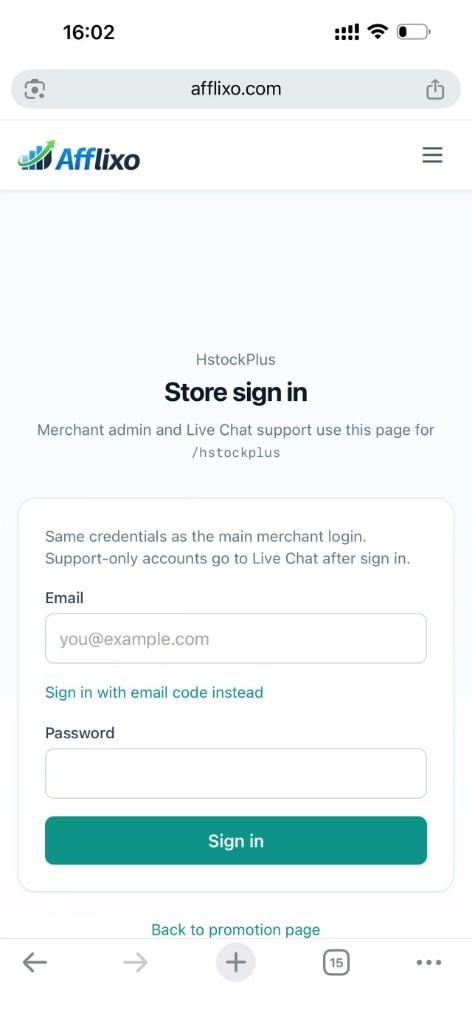
Sign in to your merchant store on afflixo.com (merchant login or your store URL, e.g.
/domain/your-store). Open Live Chat after sign-in.Safari (recommended)
Tap the Share button (square with an upward arrow) to the right of the address bar, scroll the share sheet, and choose Add to Home Screen. Confirm the name, then tap Add.
Safari → Share → Add to Home Screen Chrome on iOS (optional)
Tap the ⋯ menu at the bottom right, scroll the list, and select Add to Home Screen. (The menu is long; the option is below items such as Reload and Bookmarks.)
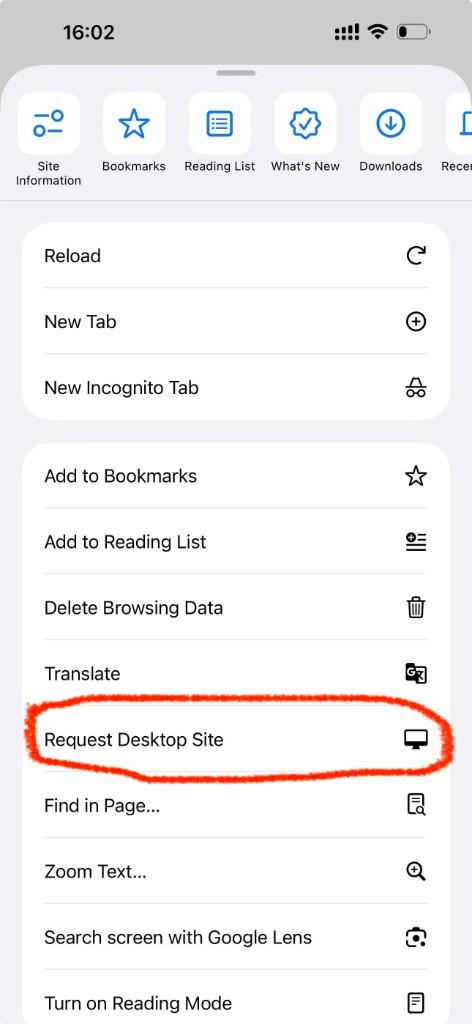
Chrome → ⋯ menu → scroll to Add to Home Screen Open afflixo from the new icon on your home screen (not from Safari or Chrome). Sign in and go to Live Chat.
Tap Alerts (top right), check Push notifications for visitor messages, and allow notifications when iOS asks. In-page sounds and toasts still work while the app is open; push alerts work in the background when the home-screen app is installed.
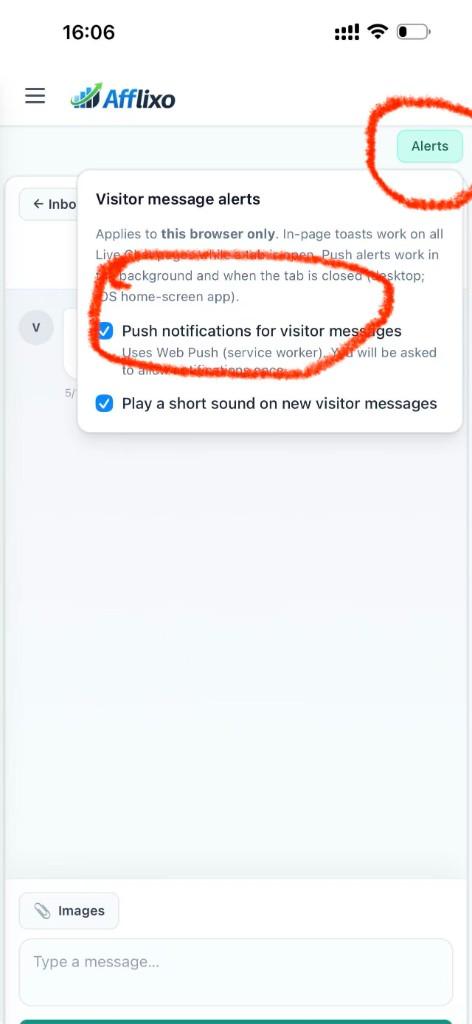
Live Chat → Alerts → enable push notifications
- If push stays disabled, confirm you opened the site from the home-screen icon, not a browser tab.
- If you denied notifications earlier, open iOS Settings → Notifications, find afflixo, and allow alerts.
- Email alerts in Chat settings still work on iOS without adding to the home screen.
ความเป็นส่วนตัว
แอป Android และการใช้งานผ่านหน้าจอโฮมบน iOS ใช้ API Live Chat ชุดเดียวกับแดชบอร์ดเว็บ เซสชันการเข้าสู่ระบบและการลงทะเบียนการแจ้งเตือนแบบพุชจัดเก็บไว้บนอุปกรณ์ของคุณ ทั้งสองแบบไม่ได้ใช้แทนแผงผู้ดูแลร้านค้าฉบับเต็มบนเว็บ