
Mobilde Canlı Sohbet uygulaması
Ziyaretçi mesajlarını telefonunuzdan yanıtlayın. Aşağıdan platformunuzu seçin: Android Canlı Sohbet uygulamasını yükleyin ya da iPhone/iPad'de Afflixo'yu ana ekranınıza ekleyip anlık bildirimleri açın.
Android
afflixo uygulamasını (APK) indirin. Google Play'de yoktur; doğrudan bu sayfadan yükleyin veya QR kodu tarayın.
Sürüm 1.0.0
APK'yı indirhttps://afflixo.com/com.afflixo.chat.apk
If the file is missing, build it from mobile/merchant-chat-apk and copy to public/com.afflixo.chat.apk.
Scan to download
Opens the APK download in your phone browser
- Scan the QR code or tap Download APK.
- When the download finishes, open it from the notification or Downloads app.
- If prompted, allow installation from this browser (Install unknown apps).
- Confirm install. Requires Android 7.0 (API 24) or newer.
Yükledikten sonra (Android)
- afflixo uygulamasını açın ve işletme ya da destek e-postanızla giriş yapın.
- Web panelinde olduğu gibi şifre veya e-postayla gelen tek kullanımlık kodu kullanın.
- İstenirse işletme URL'nizi girin (ör. afflixo.com üzerindeki mağazanız).
- Yeni mesaj uyarıları almak için istendiğinde bildirimlere izin verin.
iPhone / iPad
App Store uygulaması yoktur. Siteyi ana ekranınıza ekleyin, ardından arka planda anlık bildirimleri açmak için Canlı Sohbet'i bu simgeden başlatın (iOS 16.4+).
Apple, işletme canlı sohbeti için ayrı bir App Store sürümü dağıtmıyor. iPhone ve iPad'de afflixo.com'u ana ekranınıza ekleyin, simgeden açın ve Canlı Sohbet'te bildirimleri etkinleştirin. iOS'ta Web Push için iOS 16.4 veya üstü gerekir ve yalnızca ana ekran uygulamasından açıldığında çalışır (normal bir Safari sekmesinde çalışmaz).
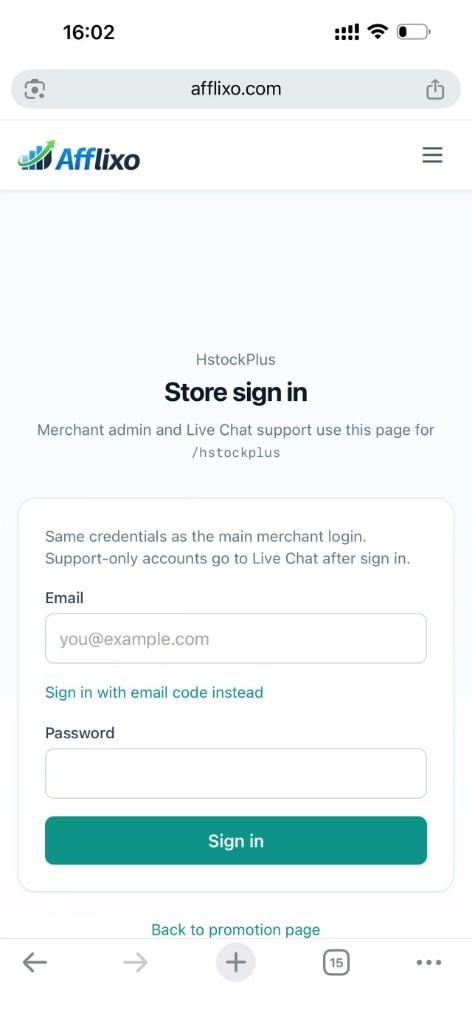
Sign in to your merchant store on afflixo.com (merchant login or your store URL, e.g.
/domain/your-store). Open Live Chat after sign-in.Safari (recommended)
Tap the Share button (square with an upward arrow) to the right of the address bar, scroll the share sheet, and choose Add to Home Screen. Confirm the name, then tap Add.
Safari → Share → Add to Home Screen Chrome on iOS (optional)
Tap the ⋯ menu at the bottom right, scroll the list, and select Add to Home Screen. (The menu is long; the option is below items such as Reload and Bookmarks.)
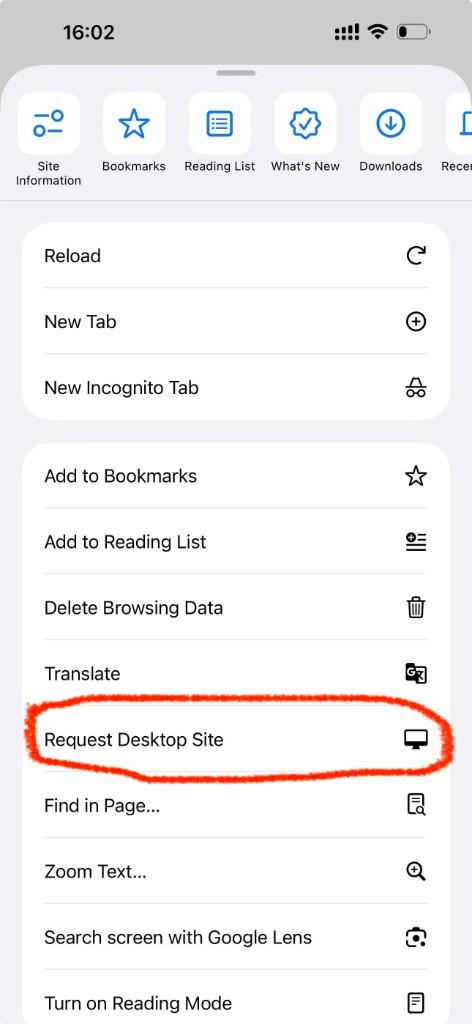
Chrome → ⋯ menu → scroll to Add to Home Screen Open afflixo from the new icon on your home screen (not from Safari or Chrome). Sign in and go to Live Chat.
Tap Alerts (top right), check Push notifications for visitor messages, and allow notifications when iOS asks. In-page sounds and toasts still work while the app is open; push alerts work in the background when the home-screen app is installed.
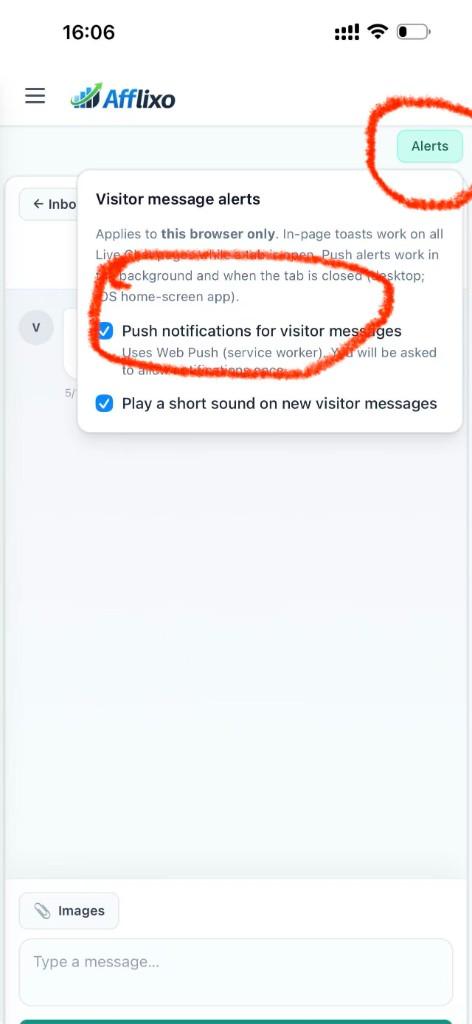
Live Chat → Alerts → enable push notifications
- If push stays disabled, confirm you opened the site from the home-screen icon, not a browser tab.
- If you denied notifications earlier, open iOS Settings → Notifications, find afflixo, and allow alerts.
- Email alerts in Chat settings still work on iOS without adding to the home screen.
Gizlilik
Android uygulaması ve iOS ana ekran deneyimi, web paneliyle aynı canlı sohbet API'lerini kullanır. Oturumlar ve bildirim kayıtları cihazınızda saklanır. Hiçbiri web'deki tam işletme yönetim panelinin yerini tutmaz.